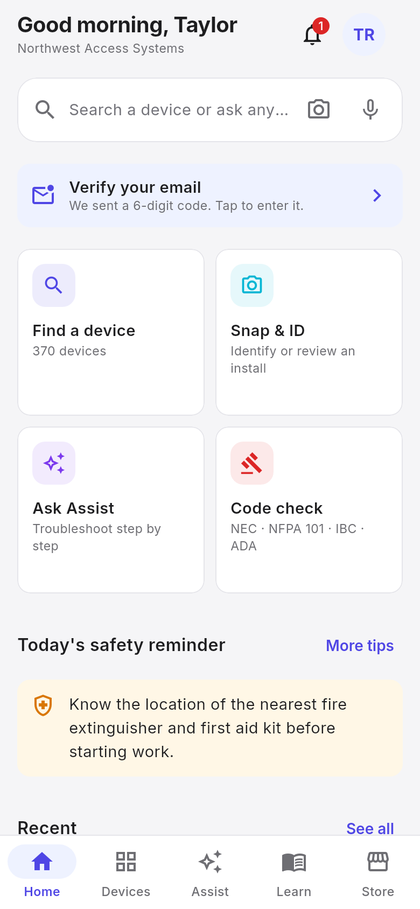
370+ devices, one card each
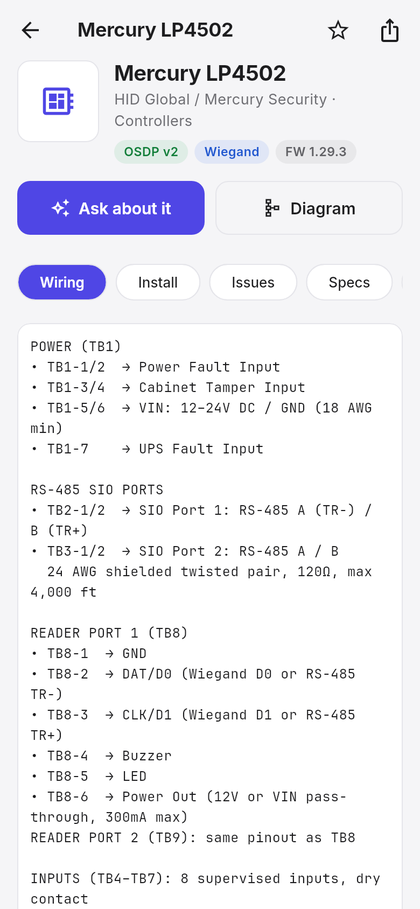
Type a name, a model number or an alias — the search is forgiving, so LP-4502, LP4502 and Mercury 4502 all land on the same card. Browse by category or brand, keep favourites, and your recent lookups are always one tap away.
- Wiring terminal by terminal, with wire gauge, distances and protocol notes.
- Install notes, common issues and specs in their own tabs, plus firmware and support contacts.
- Documents — spec sheet, install manual, manufacturer wiring diagram and video guide when the maker publishes them.
- Generated diagram for every device, pinch to zoom, share to a colleague.
- Ask about it starts an Assist session already grounded in that device.
74 manufacturers · 15 categories · 370+ devices. Verified against the live catalogue on September 11, 2026.
Troubleshooting that shows its sources
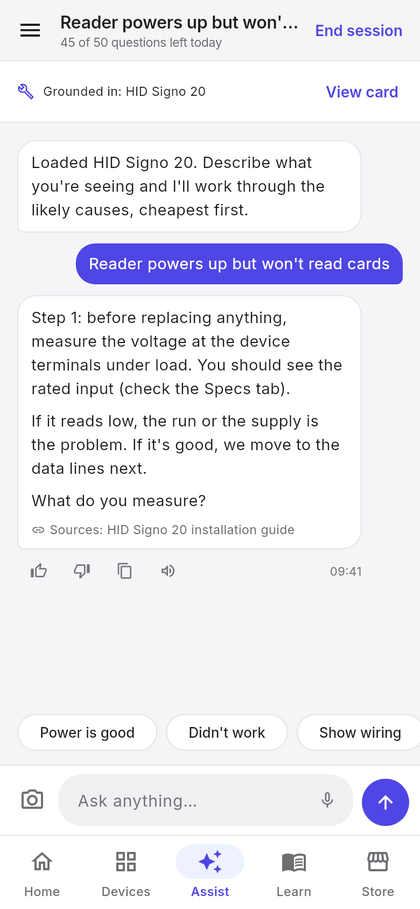
Describe what you are seeing. Assist works through the likely causes cheapest-first, asks what you measure, and grounds every answer in the device catalogue and 37,800+ indexed excerpts from 986 manufacturer documents — not the open internet.
- Sources under every answer, so you can decide how much to trust it.
- Voice in, voice out. Hold the mic to ask; turn on voice replies to have answers read aloud while your hands are busy.
- Sessions you can come back to. Every conversation is saved, can be ended with an outcome, reopened, or handed off to the manufacturer.
- Rate any answer with a thumbs up or down — it goes straight to us.
- Apprentice mode adds the reasoning behind each step for newer techs.
50 AI questions and 50 photo or voice actions per person per day; 100 spoken replies. Device cards, wiring, libraries and the store never count.
Point the camera at it
Faded label, painted-over panel, legacy hardware nobody recognises. Take a photo and the app reads what is printed on the device, names its best match and opens the card — or offers the closest candidates for you to pick from.
- Identify a controller, reader, strike or lock from a photo, then jump straight to its wiring.
- Installation review — photograph finished work and get a checklist: what is good, what needs attention, and what must be fixed before energising.
- Ask a follow-up from the review, already in context.
- Tell it when it is wrong. A correction is one tap, and it improves the catalogue for everyone.
Photos are processed to produce the answer and are not kept. See the privacy policy.
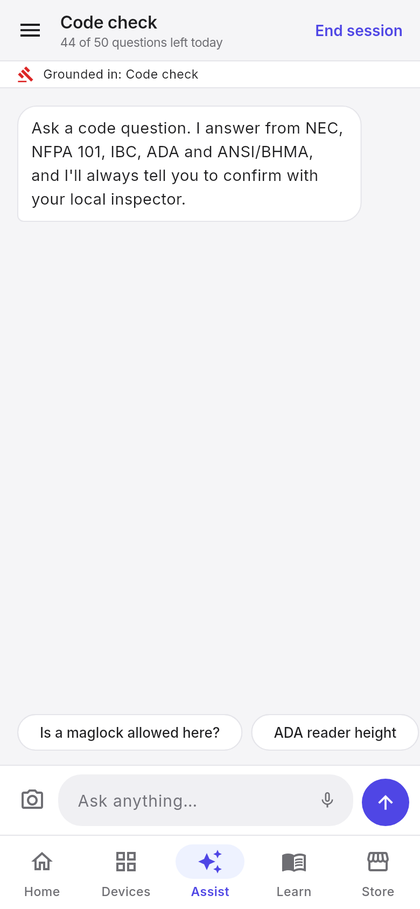
Cited answers, not opinions
Ask a code question the way you would ask a senior tech — is a maglock allowed here?, what height for this reader? — and get an answer that names the section it relies on.
- NEC, NFPA 101, IBC, ADA and ANSI/BHMA in one place.
- Life-safety flags where a shortcut would create an egress or fire problem.
- Always ends the same way: confirm with the authority having jurisdiction. The app is a reference, not a stamp.
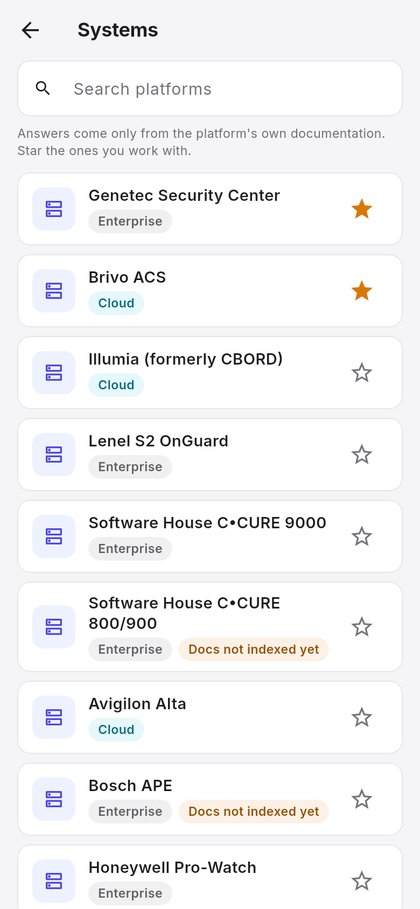
Guided help for 14 platforms
Adding a door in Genetec, enrolling a reader in OnGuard, bringing a panel online in C•CURE — each platform has its own guided tasks and its own indexed documentation, so the answer comes from that vendor's manual and nothing else.
- 14 platforms: Illumia · Lenel S2 OnGuard · Software House C•CURE 9000 · C•CURE 800/900 · Genetec Security Center · Avigilon Alta · Brivo ACS · Bosch APE · Honeywell Pro-Watch · Gallagher Command Centre · PDK io · Verkada · Kisi · Paxton Net2.
- Task flows for the jobs technicians do most on each one.
- Retrieval limited to the platform you are working on, so a Brivo question never gets a Gallagher answer.
Controller to reader to strike
Choose two or three devices and get a terminal-by-terminal plan between them — power, data, reader ports, REX and fire-alarm inputs — with wire specs and a drawn diagram you can share or save as a PDF.
- Terminal assignments for both ends of every run.
- Wire gauge, shielding and distance limits pulled from the device data.
- Safety notes first: verify power is off, check polarity before energising.
- Diagram included — pinch to zoom, share, or save the whole plan as a PDF.
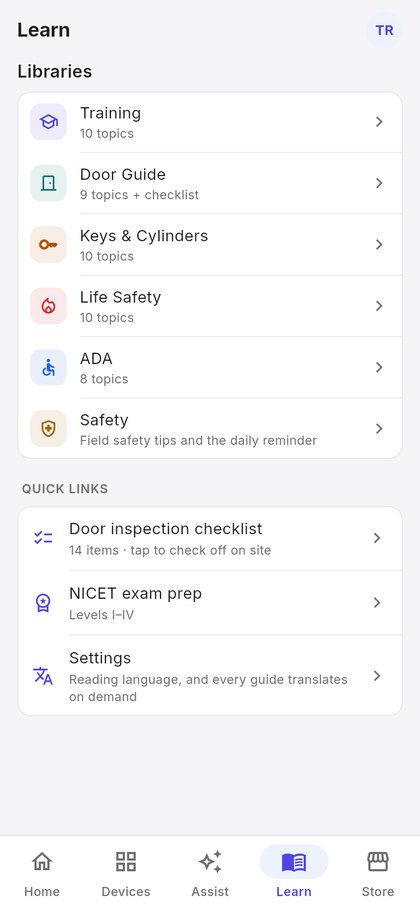
Five libraries and a daily habit
Reference material written for the field, translated on demand, and a 200-tip safety library with a reminder every morning at seven.
- Training — 10 topics from low-voltage fundamentals and RS-485 to NEC 725, plus NICET exam prep for Levels I–IV.
- Door Guide — frames, closers, hardware alignment, and a 14-item inspection checklist you tick off on site.
- Keys & Cylinders — master keying, IC cores, restricted keyways, key control.
- Life Safety — NFPA 80/101, delayed egress, fire door ratings, emergency release.
- ADA — reach ranges, forces, clearances and mounting heights, linked from the device cards they apply to.
The supplies the job needs
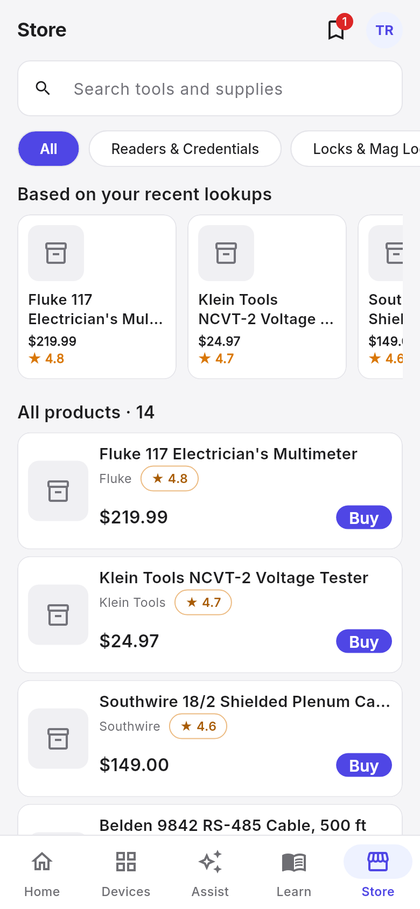
343 curated tools, cable, hardware and testers chosen for access control and locksmith work. Recommendations follow your recent lookups, and a device card shows what other techs buy alongside it.
- Team picks — pin a product and everyone on the team sees it.
- By category: readers and credentials, locks and maglocks, wire and cable, tools and testers, and more.
- Affiliate links — purchases may earn us a small commission at no cost to you; it funds new devices and documentation. See the disclosure in the privacy policy.
One plan, the whole crew
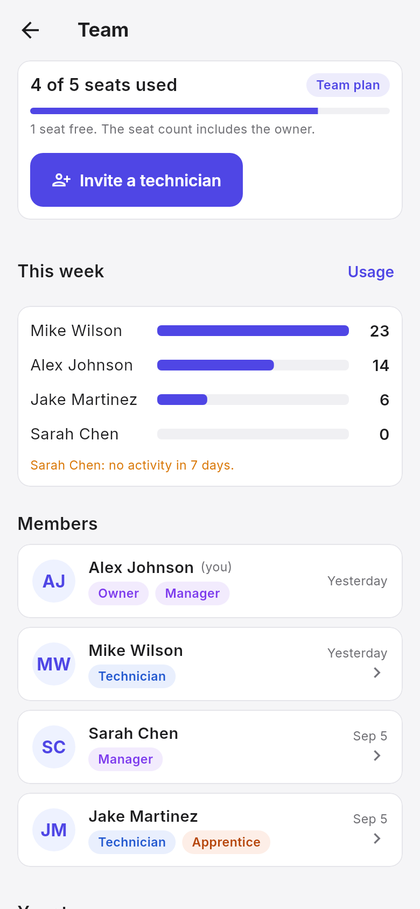
A company is a team. The subscription owner manages it; technicians join with an invite code and get everything the plan includes on day one.
- Invite codes in the form XXXX-XXXX, regenerable at any time.
- Roles — manager or technician — plus an apprentice flag for more detailed answers.
- Activity — lookups and sessions per person this week, and a note when someone has been quiet for seven days.
- Seats: 1, 5, 10, 20 or 40; the count includes the owner. A full team refuses new joins until a seat is freed or the plan grows.
- Billing in the app — change plan, view invoices, watch the team's monthly AI allowance.
English and Spanish — properly
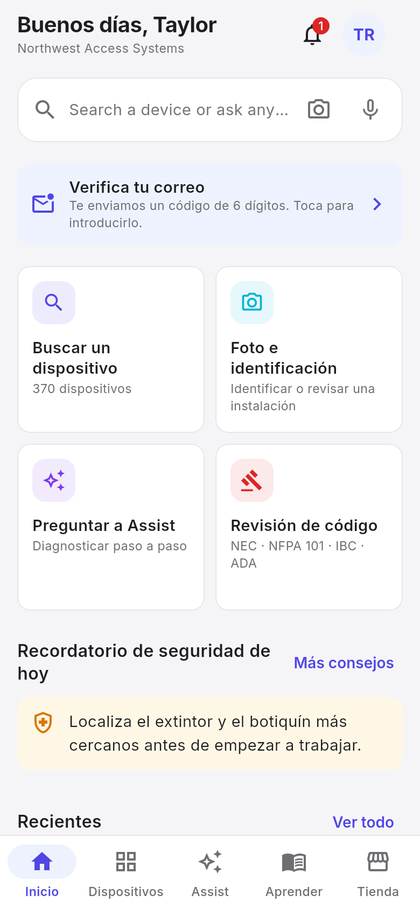
Each person picks their own language. Not just the menus: device cards, the five libraries, the safety tips and the AI's answers are all delivered in the language you chose.
- Reference content translates on demand and is kept, so it is instant the next time.
- Assist answers in your language, whichever language the source document was written in.
- Mixed teams work fine — the manager sees English, the technician sees Spanish, same catalogue.
Built for basements and lift shafts
The places technicians work are the places phones lose signal. ArklyTech is designed so the reference you need is still there.
- Offline device cards — turn it on in Settings and your last 20 lookups stay on the phone, served with a saved-copy label when there is no signal.
- Plain-text export of any device card, saved for when you need it.
- Sign in with email or Google, optional two-factor with an authenticator app and backup codes.
- Sign out everywhere from Settings; changing your password does the same.
- Your data, your call — export it or delete your account from Settings at any time.